
Bring your own models
Prepare your model for the platform. Configure inputs, labels and thresholds, with video and events built in.
Explore model integration →Your modelBuilt for your platformActual analysis ↗
CosmoEdge / Open-source edge vision AI
Connect video, models and scenario rules to bring intelligence into your workflow.
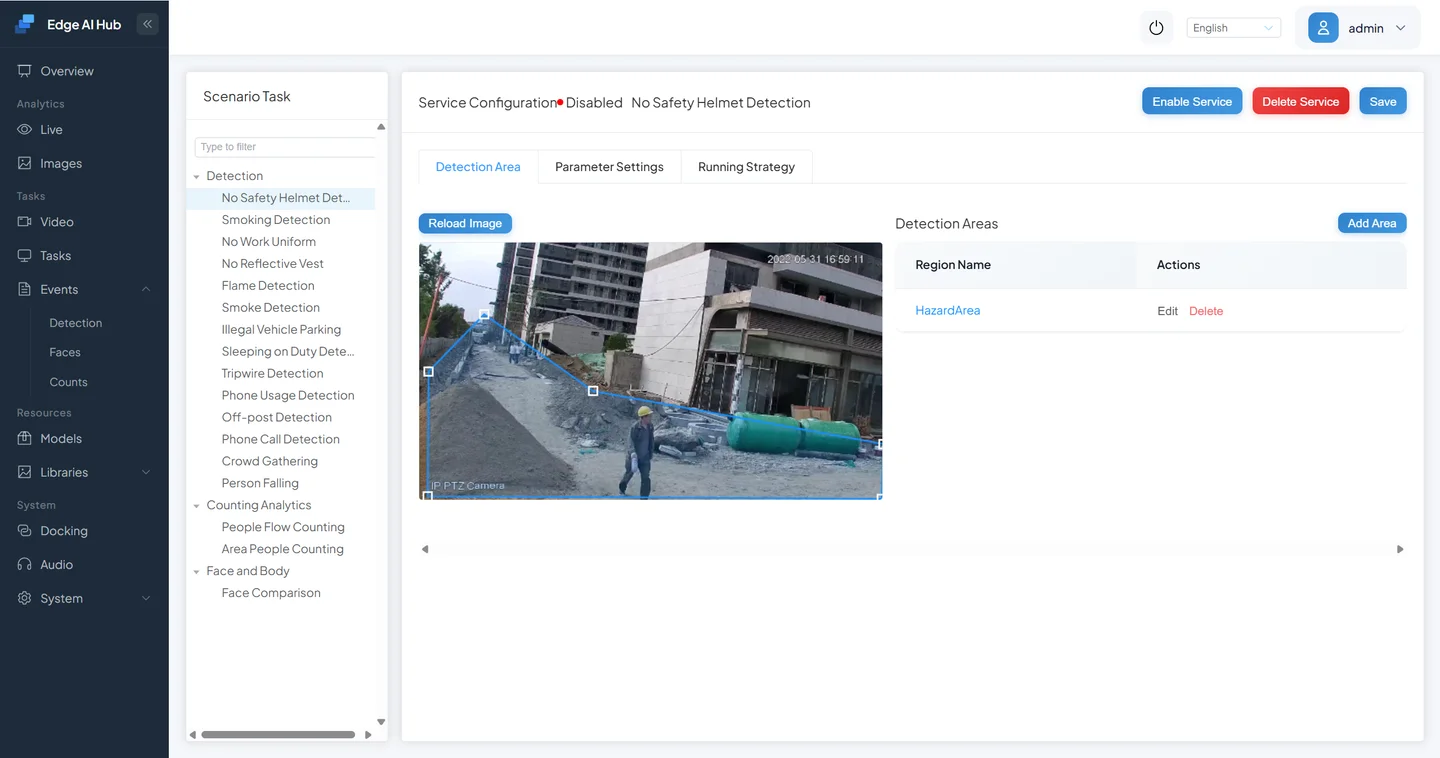
01 / A complete scenario
Set a detection region at a construction entrance, configure the helmet rules, then view the live analysis and captured alerts.
02 / From model to application
Configure model inputs, detection regions and event rules with built-in video processing, live views and integration APIs.
Prepare your model for the platform. Configure inputs, labels and thresholds, with video and events built in.
Explore model integration →Connect detection, tracking, filtering and rules. Adjust regions and logic as your requirements evolve.
Explore the pipeline editor →PROMPT-BASED EXPLORATION
Use DINO to find targets described in a prompt, or ask VLM questions about a scene. Try your own images or video and inspect the detections, answers and events.
View platform benchmarks →Example: DINO with the garbage.person prompt and a corridor result.03 / SYSTEM ARCHITECTURE
Video processing, inference and scenario rules run on the edge device. A web console handles configuration and inspection; interfaces deliver events to business systems.
RTSP streams
Video & images
Configure tasks · Live views · Review events
Receive events & results
Select a module to explore its role
Connect models and processing nodes, define regions and set conditions. Save task logic as a scenario template, ready to adjust and reuse in the next task.
04 / ENGINEERING EVIDENCE
Person detection + no-safety-helmet analysis · 2 tasks / stream · 5 FPS target per task
Highest tested passing workload
≥ means the highest tested workload passed.Passing gate: 80% of target FPS · 30 seconds per step
Read the performance report| Platform | Fixed streams | Average FPS |
|---|---|---|
| BM1688 | 8 | 5.086 |
| CV186X | 8 | 5.085 |
| RK3576 | 8 | 5.098 |
| RV1126B | 4 | 5.230 |
A separate fixed-load run targeting 5 FPS per task. Average FPS comes from runtime samples.
Read the 72-hour reportTest input1080p · H.264 High · 24 FPS local looped video, with preview off.
05 / GET STARTED
Run your first detection on a computer, then choose the build and deployment path for your edge hardware.
Choose a setup path →Ready devices include vision models and scenario presets. Compare RK3576, CV186AH and BM1688. For international purchases, contact us by email.
Compare configurations →Bring your model, hardware context and business needs to define integration scope and validation steps.
Discuss your project →BUILD YOUR FIRST FIELD APPLICATION
 CosmoEdgeApache-2.0 licensed enginev1.1.0