
01
Rockchip
RK3576
Rockchip RKNN
People, vehicle and safety analysis, using the available RKNN models and scenario presets.
- Nominal NPU compute
- 6 TOPS
- Memory
- 4 GB LPDDR5
- Storage
- 64 GB eMMC
- Model packages
- 21 included
CosmoEdge / Ready devices
Preinstalled models cover safety helmets, fire and smoke, falls, and people and vehicles. Connect video and configure a scenario with models adapted for your platform.
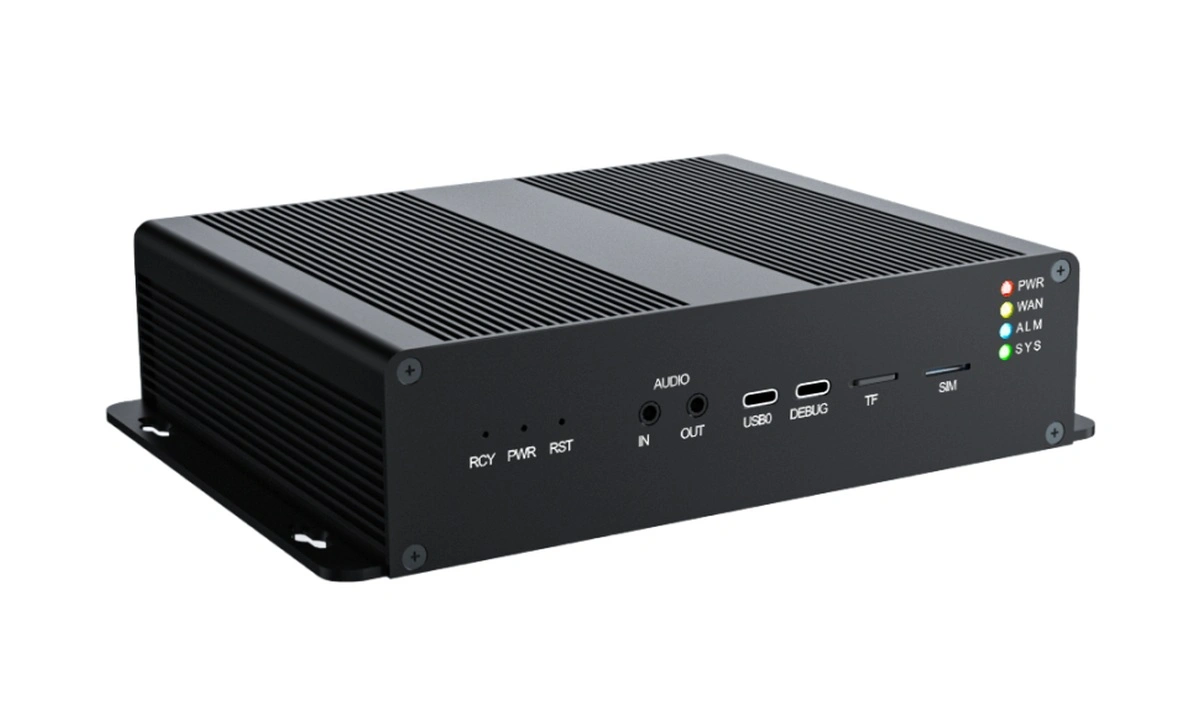
Models, the runtime and scenario presets ship with the device. Adjust regions, thresholds and event rules for your site.
For international purchases, contact us by email.
Configuration guide
All three configurations include 64 GB eMMC storage. Start with your model format, memory needs and workload.
TOPS is nominal hardware compute. Stream capacity and speed depend on the model, input frequency and runtime configuration. CV186AH uses the CV186X resource platform below.
Measured workloads
Person detection + no-safety-helmet analysis: two tasks and three model stages per stream, targeting 5 FPS per task. These are the platform results in the published report.
| Test platform | Streams passing the mixed-workload test | 72-hour fixed workload | Model resource differences |
|---|---|---|---|
| RK3576 | ≥ 8 | 8 streams · 16 tasks | People, vehicles, safety, vision-language |
| CV186X | ≥ 8 | 8 streams · 16 tasks | Also includes text-prompted detection and segmentation |
| BM1688 | ≥ 16 | 8 streams · 16 tasks | Also includes text-prompted detection and segmentation |
What’s included
Your device comes with CosmoEdge and the NPU runtime configured for its chip.
Platform-specific model packages and 29 configurable scenario templates. Connect an input and adjust regions, thresholds and event rules for your site.
Deployment support is available. Agree the scope of custom model adaptation, business integration and on-site services during project discussions.
Included models, templates and services follow the selected listing and delivery agreement. Discuss model integration, site rules and business system needs before purchasing.
Included resources / 2026-09-08
Browse models and templates by task. To run a template, select compatible models and connect an image or video source.
01 / MODEL CATALOG
People and vehicle analysis, safety behavior recognition, text-prompted detection, segmentation and vision-language analysis.
Counts refer to model packages. Classification models usually follow a detector; embeddings and landmarks support face or person comparison workflows.
All three platforms include a vision-language model, enabled according to the device delivery configuration.
02 / SCENARIO TEMPLATES
Choose an image or video source, connect the models, then set regions, lines, timing and event conditions.
Before you start
Yes, through the model integration workflow. Match the target format, inputs, outputs and parser configuration. Training weights need export and platform adaptation first.
Read the integration guide →Start with the included models and presets. Run the workflow with sample footage, then use site footage to tune regions, thresholds and rules and confirm the results.
Run your first detection →Yes. The engine code is Apache-2.0 licensed and supports self-deployment. Model assets have separate sources and licenses.
Check model sources and licenses →Selection depends on the models, tasks per stream, input frequency and latency requirements. Share the details you have to discuss a configuration and validation approach.
Discuss device selection →Your next step